Coding, robotics and AI workshops where everybody builds.
We run them for schools, community groups and charities - for ages 7 to 18, from our Leicester base across the East and West Midlands. We bring the laptops and the robots; you bring the room and the young people.
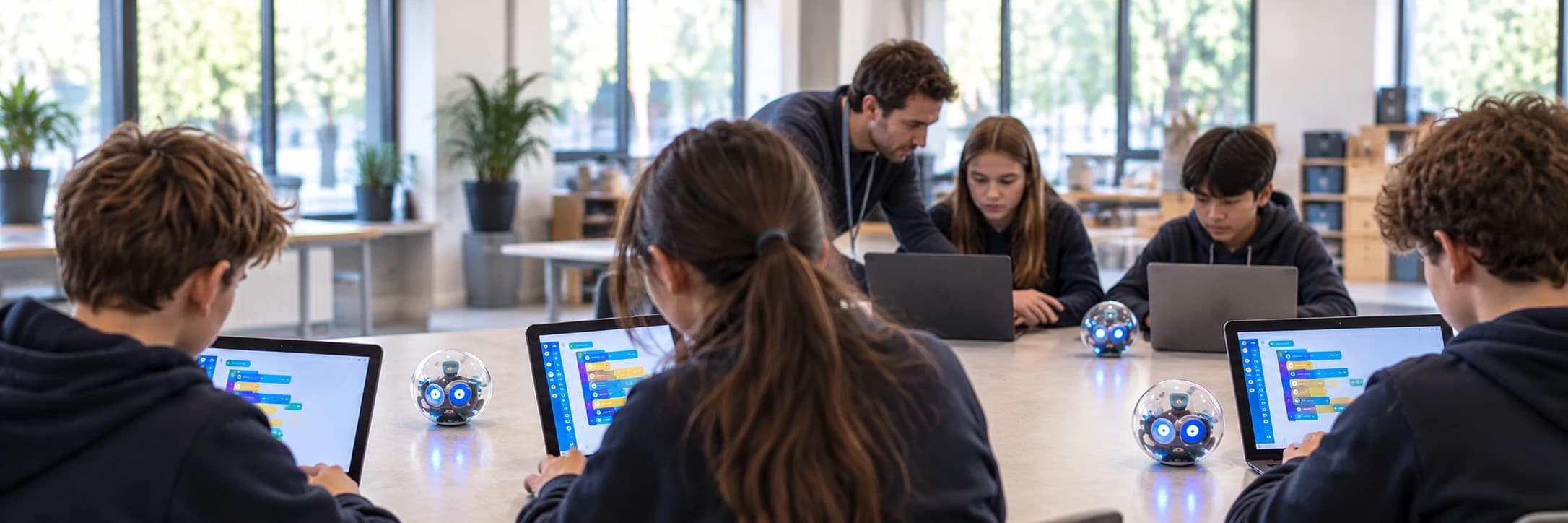
Three strands, and everybody builds.
Not a talk, not a demonstration. Every young person in the room has a machine in front of them and something of their own to finish.
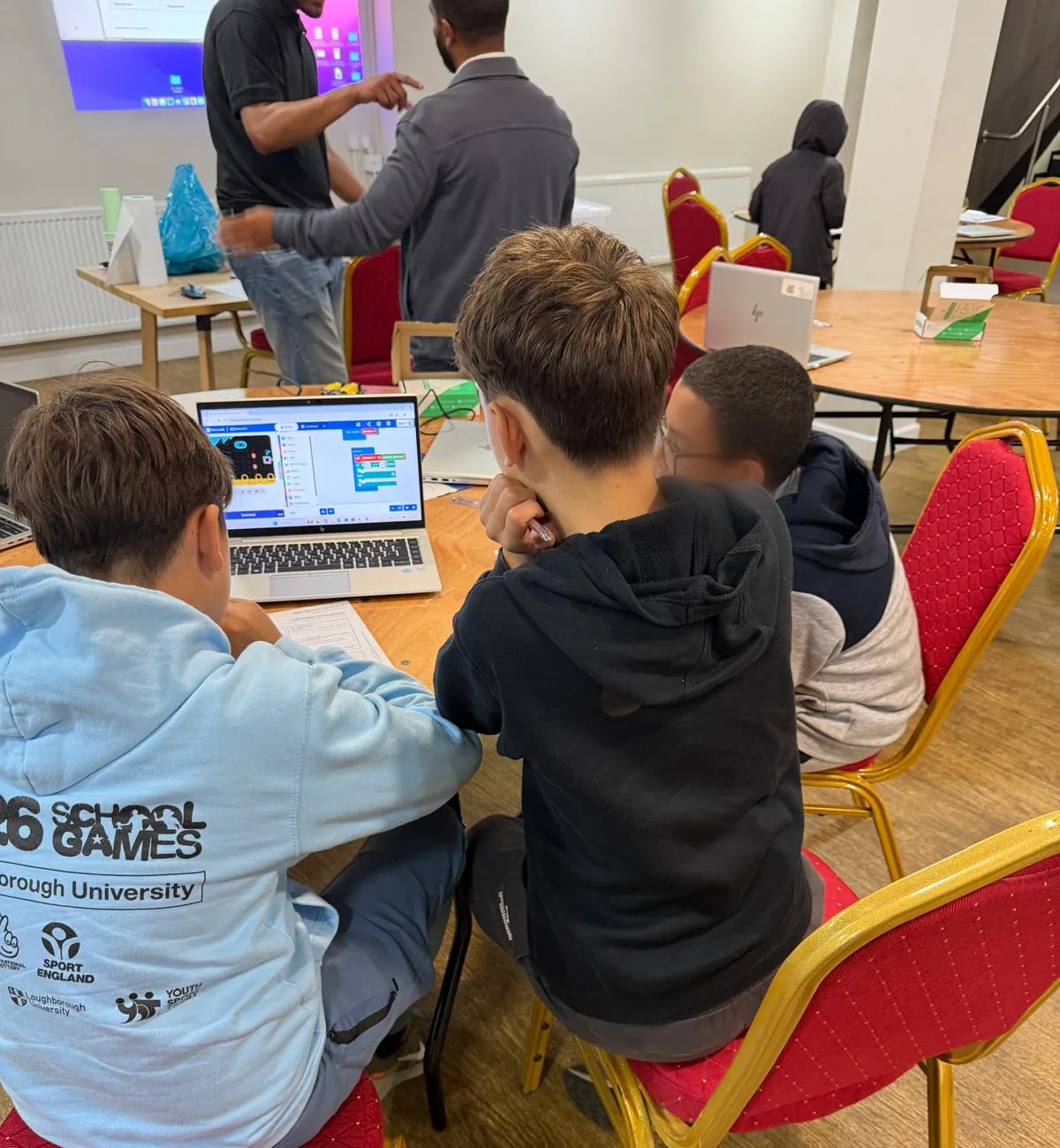
Write code that actually runs
Not a demo they watch. Every young person writes something, runs it, watches it fail, and works out why. That loop is the whole job.
- Ages 7-10
- Blocks, but with real logic underneath - sequences, loops and decisions - and something moves on screen because of what they wrote.
- Ages 11-18
- Typed Python. They read code and predict what it will do before they run it, which is a harder and more useful skill than writing it.
Programme a robot
Code stops being abstract the moment it moves something you can touch. They programme a robot to navigate, respond and react.
- Ages 7-10
- Behaviour driven directly - follow the line, avoid the wall, react to what the sensor sees.
- Ages 11-18
- Sensor input and conditions - and the gap between what they meant and what they actually told the machine.
AI literacy
Every young person in the room already uses AI. Far fewer have been shown what it is genuinely good at, where it quietly gets things wrong, and - the part that matters most - how to use it without handing over their own thinking. We are direct about both sides: it is a powerful tool, and it is a fast way to stop learning if you let it do the work for you.
- Ages 7-10
- What it is and what it is not. They train something simple, watch it improve, then watch it fail when the examples they gave it were poor - so “the computer said so” stops being an answer.
- Ages 11-18
- Where a model's limits are, why a confident answer is still a claim to check, and how to use AI on a real piece of work while the thinking and the creativity stay theirs.
It maps to what you already teach.
The three strands line up with Key Stages 2 to 4, and on into GCSE Computer Science - so a workshop reinforces the curriculum rather than sitting beside it. Tell us what your group is working on and we will pitch the session to meet it.
- Key Stage 2
- Sequences, loops and selection, made concrete by a robot that does what they told it.
- Key Stage 3
- Typed code, variables and conditions, debugging as a method rather than a guess.
- Key Stage 4 & GCSE
- Computational thinking, algorithms and the practical side of programming, plus a grounded view of what AI is and is not.
It moves. Nobody sits still for long.
The building is broken up with quick quizzes, timed challenges and games - and they are teaching the same ideas, not filling gaps. A challenge is where a young person finds out they understood something; a game is where the room finds out together.
- Build
- Break it
- Work out why
- Fix it
- Show what you made
Every strand runs the same loop, on purpose. The aim is that by the third time round they reach for it without being asked - that habit, not the finished project, is what we are there to build.
One session is not a course. It is a start.
Something they made
Every young person finishes with a thing that runs and a thing they can explain. Both matter; the explaining is the harder one.
A first go at debugging
Read the error, form a theory, test it. It is the most useful habit in the room, and the one a session is built to start - every strand gives them another go at it.
A realistic view of AI
Not that it is magic, and not that it is dangerous - that it is a tool with a shape, which can be tested and can be wrong.
What a workshop needs from you.
Very little, and we would rather say so plainly than have you ask.
- Formats
- Half day or full day
- Whichever fits your timetable - tell us which and we will shape the session around it.
- How it starts
- A short conversation
- We talk through what your group needs, then agree a date that works for your timetable and ours.
- Where we travel
- East & West Midlands
- We are based in Leicester and travel across both. Further out, ask - we will tell you honestly.
What we bring
- Laptops and all the robotics equipment - you do not need a computer suite
- The people to run it, and the plan for the age group in the room
- Everything set up before your group walks in
What you provide
- A room with tables, chairs and plug sockets
- Your group, and someone from your team in the room with them
- Internet access, and a few educational sites whitelisted in advance - we send the list when we book
Tell us the age range, roughly how many young people, and how long you can give us, and we will tell you what we would run.
What your safeguarding lead will ask.
So it is on the page rather than three emails into the conversation.
A named Designated Safeguarding Lead
Our Designated Safeguarding Lead is Redwaan Maxamed, Hikora's co-founder. Your safeguarding lead can email him directly at info@hikora.co.uk - put “Safeguarding” in the subject and it comes straight to him.
Public liability insurance
We hold public liability insurance, and no session runs without it in force. We will send the certificate to your safeguarding or finance lead on request.
Enhanced DBS as standard
Every adult working with your young people will hold an enhanced DBS check before the session runs. We will share our safeguarding policy and certificates with your safeguarding lead on request.
Your staff stay in the room
We ask that someone from your team is present throughout. We are guests in your setting and we work to your policies as well as ours.
First aid, and a ratio agreed in writing
Every session will have a first-aid-trained adult in the room, and we agree the adult-to-child ratio for your group with you in writing before the day.
No photographs without consent
We will not photograph any young person without written parental consent, gathered through your process or ours. If you would rather we took none at all, that is the default.
We need no pupil data at all
Running a workshop needs no names, no accounts and no sign-ups from your young people. The form below asks for your organisation's details only, and our Privacy Policy sets out exactly what we do with them.
Our full safeguarding policy and our photo & media consent process are published here, and we will send certificates and risk assessments to your safeguarding lead on request.
Tell us about your group and we will tell you what we would run.
Are you a parent?
This form is for schools and organisations booking a workshop for a group. If you are looking for your own child, our weekly Coding & Robotics classes are the way in - and they start with a free trial lesson.
Book a free trial lesson→Would rather just ask?
Email info@hikora.co.uk, call 07455 098033, or message us on WhatsApp.